BUILD YOUR FEA FOUNDATION
THROUGH 7 DAYS OF
REAL ENGINEERING PROJECTS
You already know CAD. The gap into simulation isn't a skills problem. It's a method problem. Watch the 2-minute breakdown below.
NOT A SOFTWARE TUTORIAL.
A METHODOLOGY.
We use SolidWorks Simulation (version 2022 or newer required), one of the most widely adopted FEA platforms in industry. The engineering methodology is relevant to Ansys, Abaqus, NASTRAN, or any platform you'll encounter in your career.
YOU ALREADY KNOW CAD.
NOW LEARN THE SKILL
THAT ACTUALLY GETS PAID.
FEA can help grow your career,
but the path to learning it shouldn't take years or cost thousands of dollars.
FOUR HANDS-ON FEA TRAININGS.
ONE STRONG FOUNDATION.
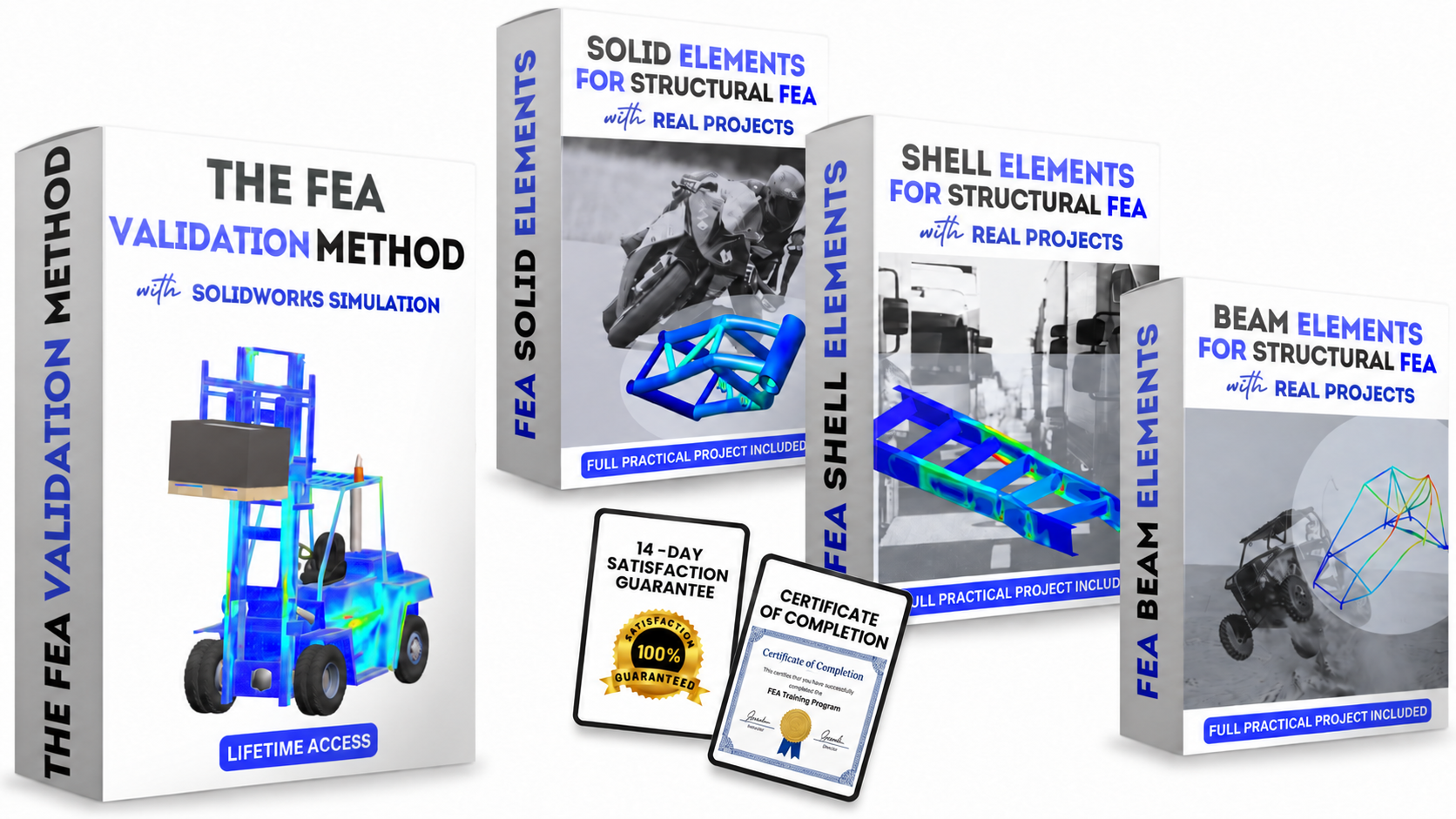
Learn the full simulation workflow and apply it to real engineering projects using Solid, Shell, and Beam elements. All four hands-on trainings are included in THE FEA FOUNDATIONS.
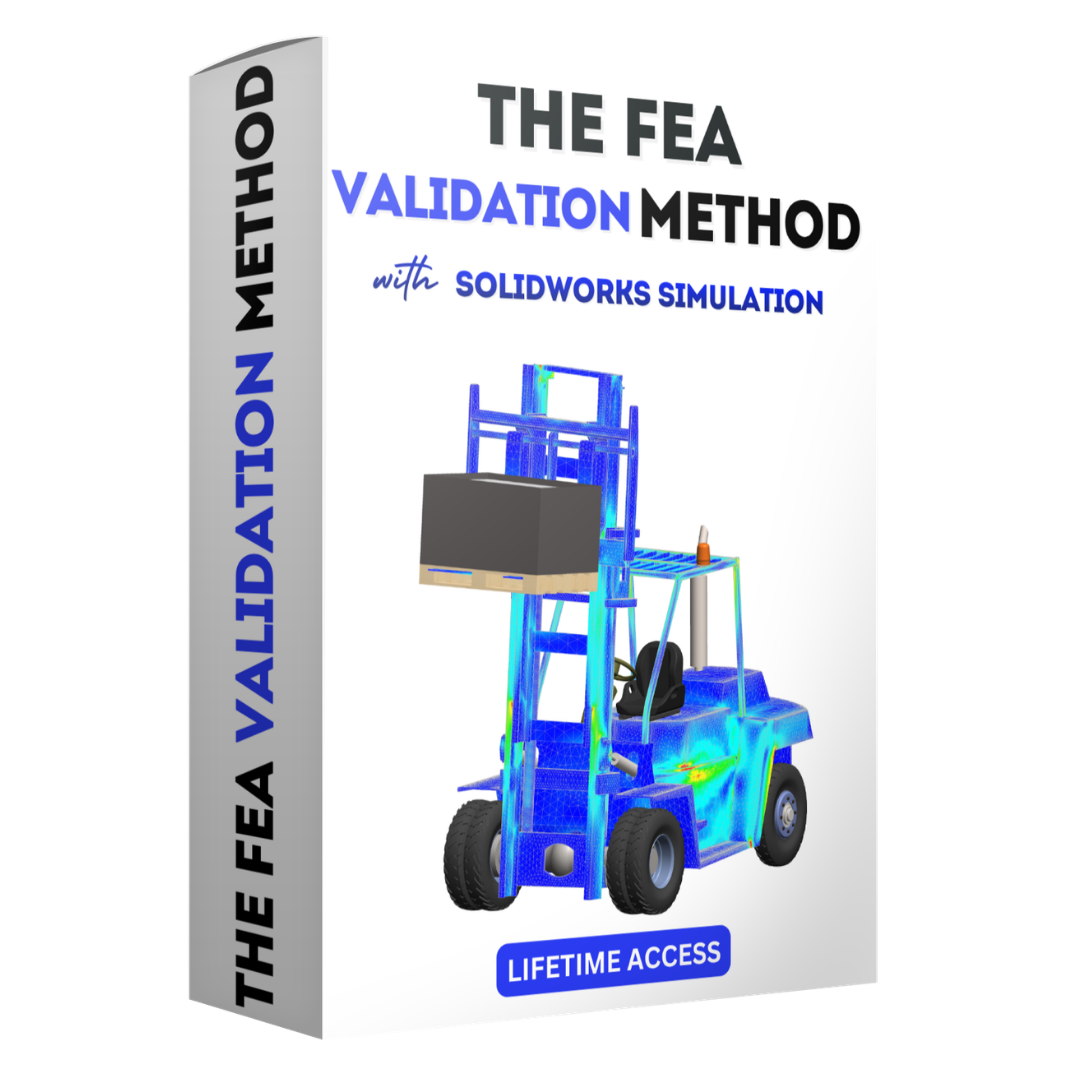
The FEA Validation Workflow
The complete simulation process from geometry setup to validated result. Pre-process, materials, boundary conditions, meshing, solver, post-process. The backbone every simulation you run after this will rest on.
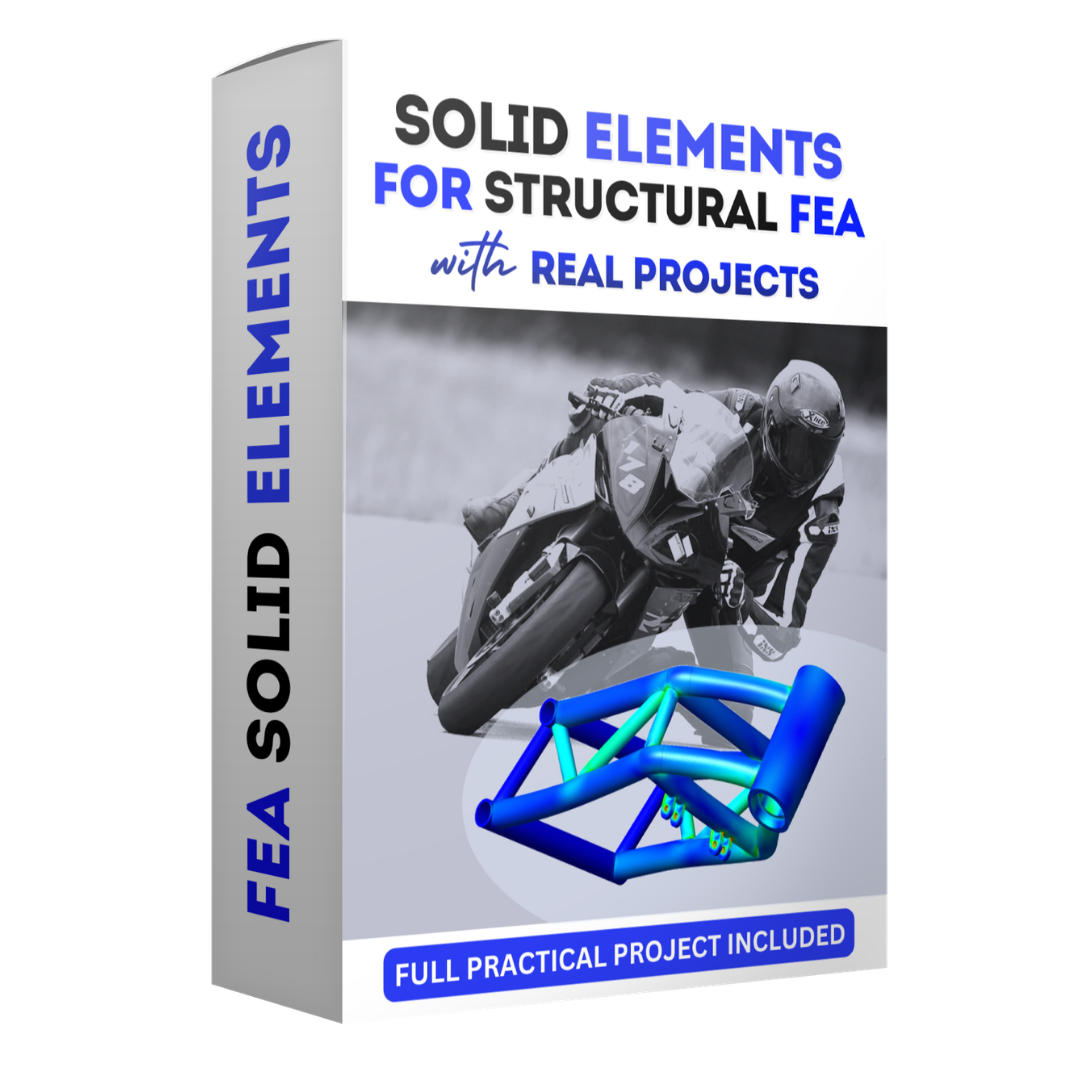
Solid Elements With Real Projects
3D volumetric meshing for complex geometries. Stress concentration handling, von Mises validation, and a full motorbike chassis simulation from start to defendable result.
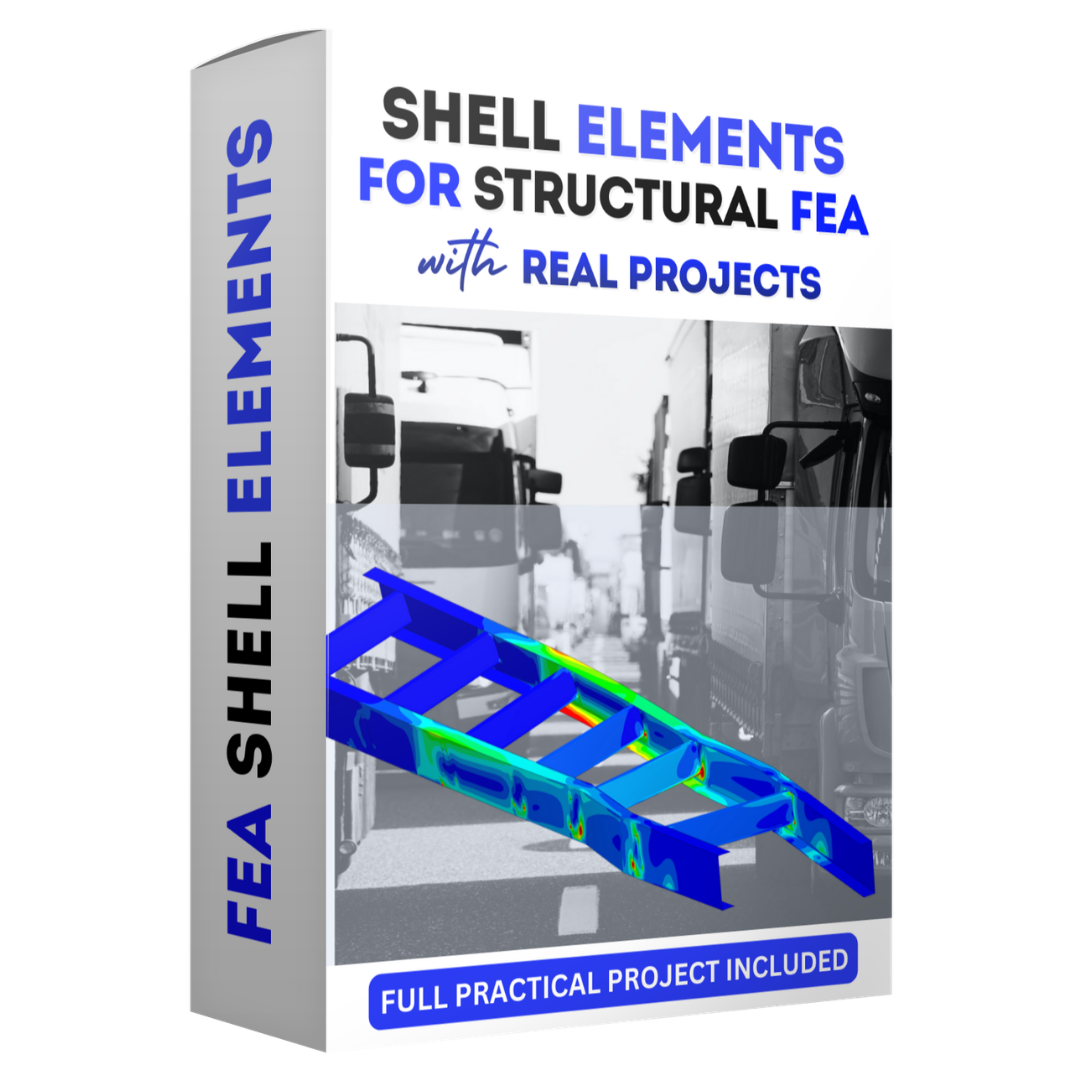
Shell Elements For Structural FEA
Mid-surface modeling for thin-walled structures. Dramatic computational savings without losing accuracy. Reinforced with a complete truck chassis validation, the approach used across automotive and aerospace.
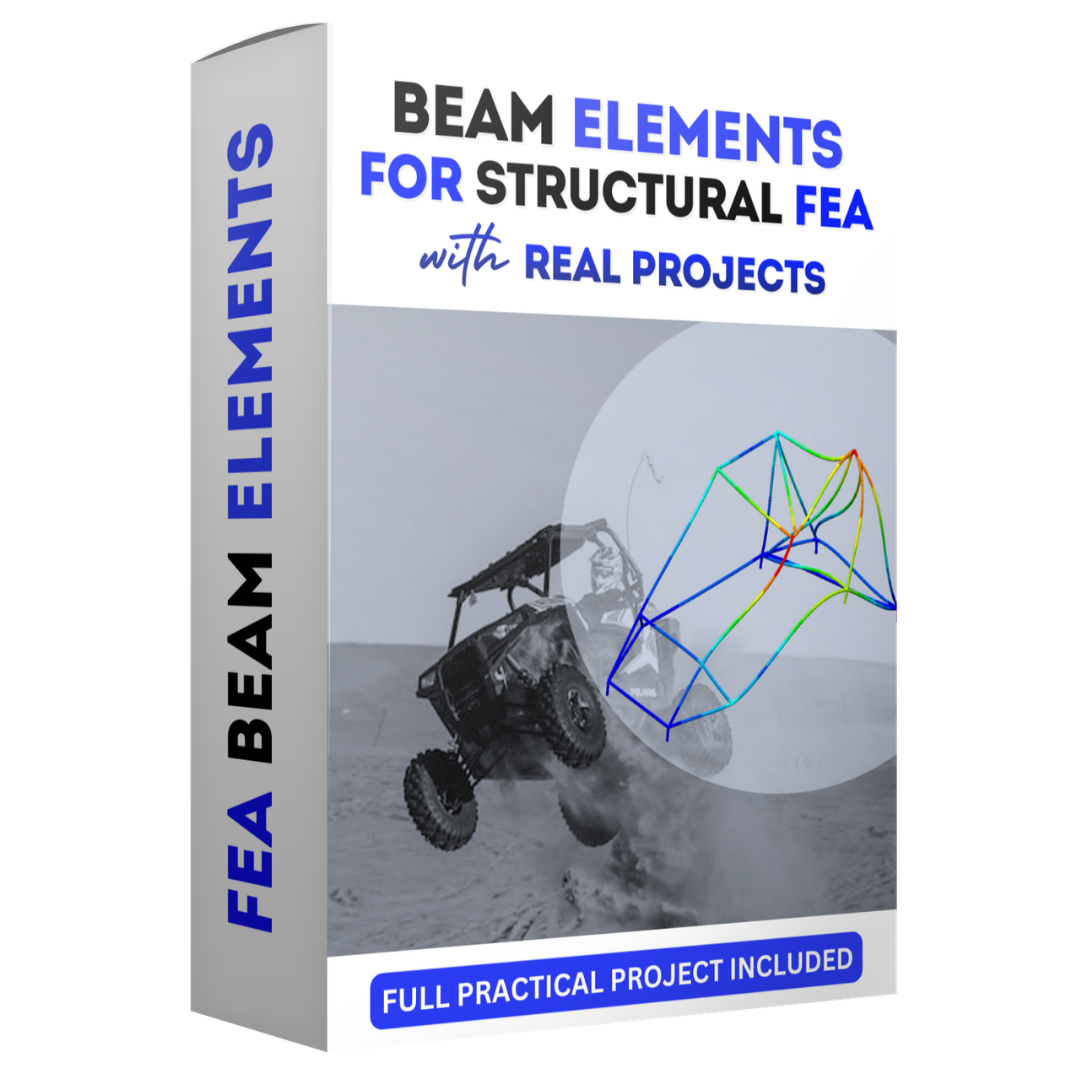
Beam Elements For Structural FEA
1D line body idealization for tubular frame structures. Cross-section assignment, joint validation, and a full buggy chassis project covering max bump and rollover events.
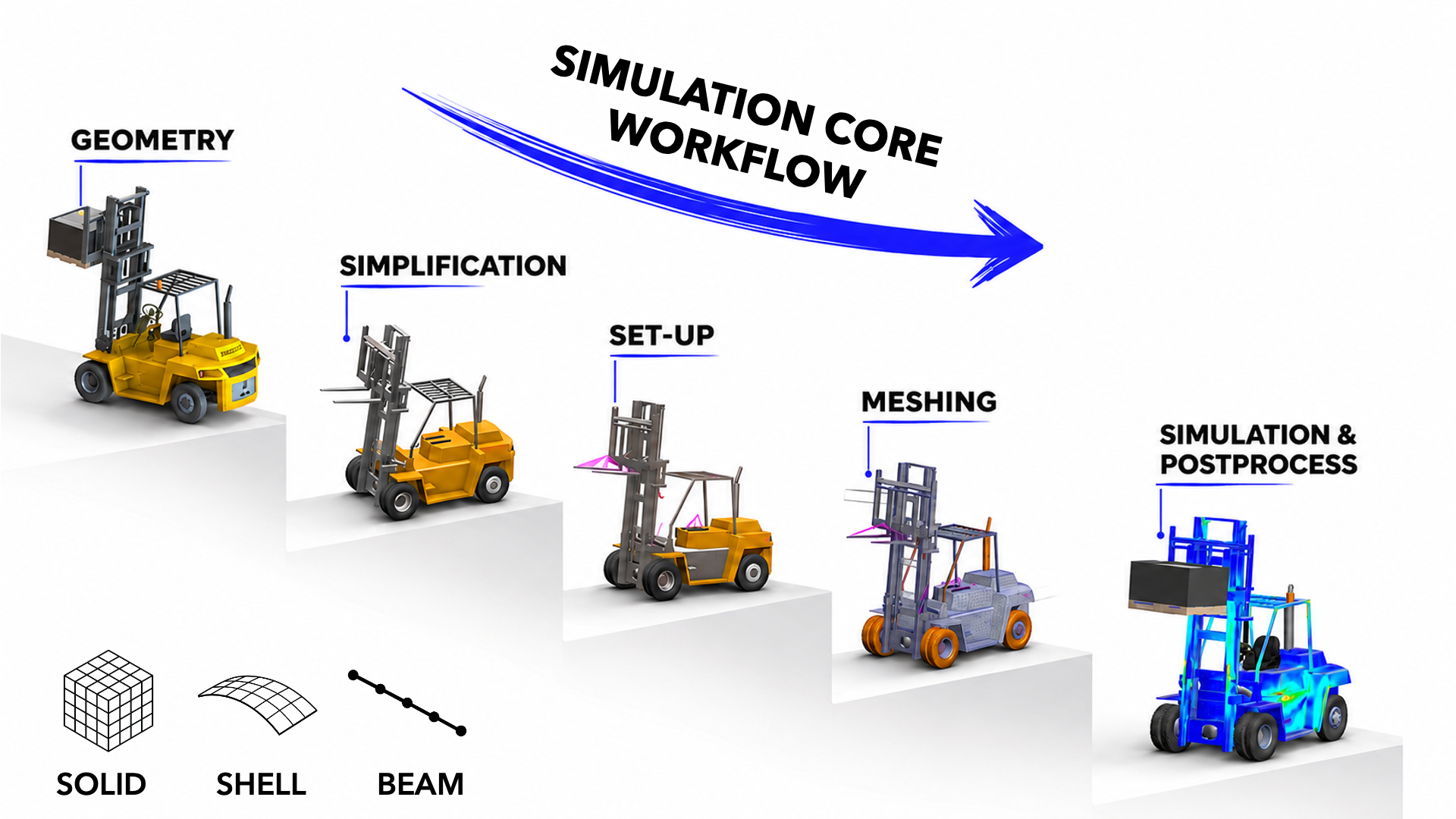
THE COMPLETE SIMULATION WORKFLOW
you'll execute on every project
1 Geometry Optimization
You'll use Split Lines to define load application zones and Reference Geometry to set up precise coordinate systems. This step helps turn a CAD model into a simulation-ready model.
2 Materials Library
You'll build and maintain your own custom materials library with properly defined mechanical properties: Young's modulus, Poisson's ratio, and yield strength.
When a result changes because of a material assumption, you'll understand why and how to address it.
3 Boundary Conditions
You'll learn to translate real-world physics into simulation conditions: how a vehicle's weight becomes a static load, how a road bump becomes a dynamic force, and how supports and joints constrain a structure without over-constraining the model.
You'll apply load cases the way they're applied in automotive and aerospace validation, not just through idealized textbook examples.
4 Meshing
You'll learn Standard vs. Curvature-based meshing, how to apply local mesh controls at stress concentration zones, and how to use aspect ratio as an indicator of mesh quality.
You'll run convergence checks to assess whether your results are sufficiently mesh-independent and avoid unnecessary computation time.
5 Analysis & Solver
You'll learn to select and configure the appropriate solver options for your problem and diagnose setup errors that can lead to misleading results.
You'll use the Load Case Manager to run and compare multiple scenarios efficiently, as you would in a professional simulation workflow.
6 Validation
You'll learn to read von Mises stress plots, displacement fields, and safety factor distributions with real engineering judgment, not just color-map intuition.
You'll compare results across element types, cross-check against hand calculations where possible, and develop the engineering judgment to question and explain your results.
This is how you start thinking like a simulation engineer, not just a software user.
WHAT'S INSIDE, DAY BY DAY
Seven days. Six projects.
One workflow you can use from day one at work. Every lesson is structured, every project builds on the last.
Day 01 Introduction & Theory KEY Points

- Welcome & About the Course
- Intro to FEM (Finite Element Method)
- CAE Software in the Market
- SolidWorks Simulation: Inside the CAE Software
- Preparing the Geometry: PRE-PROCESS
- Preparing the Geometry: SPLIT LINE
- Preparing the Geometry: REFERENCE GEOMETRY (Coordinate Systems Definition)
- MATERIALS Definition: Create Your Own Library
Day 02 FEA Simulation Process

- Boundary Conditions: DEFINITION
- Boundary Conditions: CONSTRAINTS
- Boundary Conditions: LOAD CASES in Vehicle Environment
- Boundary Conditions: LOAD CASES in FEA
- Meshing: STANDARD
- Meshing: CURVATURE
- Meshing: CONTROLS
- SOLVER: How to Choose It?
- SOLVER: Define and Run the Simulation
- Results Review: Post-Process PART I, II & III
- Duplicate and Compare Different Simulations
- The Power of the Load Case Manager
Day 03 FEA with SHELL Elements
- SHELL ELEMENTS: Theory
- SHELL ELEMENTS: Pre-Process (Surfaces Preparation)
- SHELL ELEMENTS: Definition in Simulation
- SHELL ELEMENTS: Simulation Set-Up
- SHELL ELEMENTS: Meshing
- SHELL ELEMENTS: Results Review (Post-Process)
Day 04 FEA with BEAM Elements

- BEAM ELEMENTS: Theory
- BEAM ELEMENTS: Geometry Description
- BEAM ELEMENTS: Definition in Simulation
- BEAM ELEMENTS: Joints
- BEAM ELEMENTS: Constraints
- BEAM ELEMENTS: External Loads
- BEAM ELEMENTS: Meshing
- BEAM ELEMENTS: Results Review (Post-Process Part I & II)
Day 05 Motorbike Chassis FEA · Solid Elements
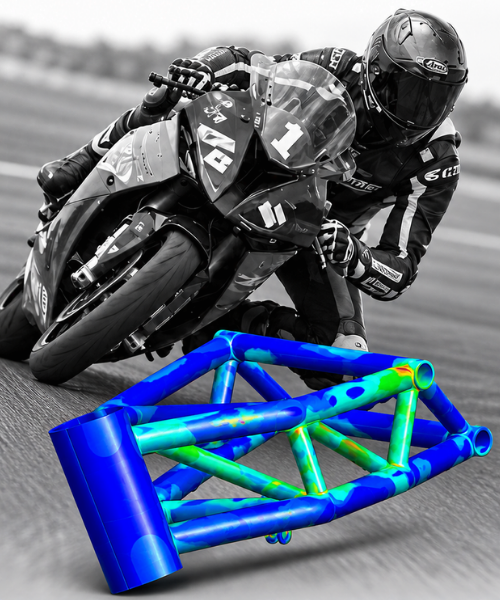
- BIKE CHASSIS: Project Presentation
- BIKE CHASSIS: Geometry Preparation Part I & II
- BIKE CHASSIS: Element Definition & Materials
- BIKE CHASSIS: Constraints and Contacts Intro
- BIKE CHASSIS: External Loads Part I & II
- BIKE CHASSIS: Meshing
- BIKE CHASSIS: Results Review (Post-Process)
- BIKE CHASSIS: Complete Frequency Analysis
Day 06 Truck Chassis FEA · Shell Elements
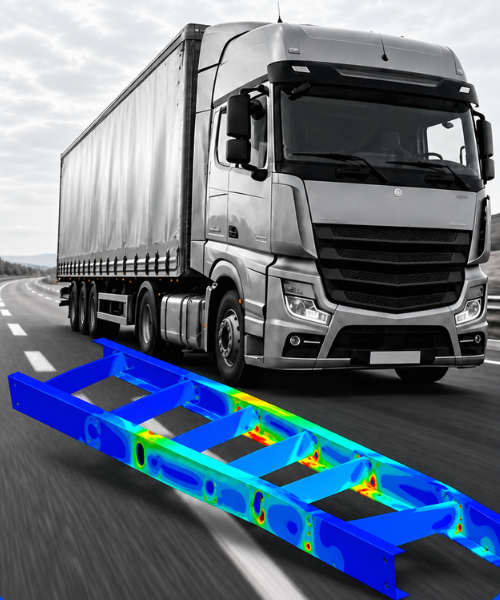
- TRUCK CHASSIS: Project Presentation
- TRUCK CHASSIS: Geometry Preparation Part I & II
- TRUCK CHASSIS: Shell Elements Definition & Materials
- TRUCK CHASSIS: Constraints and Contacts Revision
- TRUCK CHASSIS: External Loads for Chassis Validation
- TRUCK CHASSIS: Meshing & Solver
- TRUCK CHASSIS: Results Review (Post-Process)
Day 07 Buggy Chassis FEA · Beam Elements
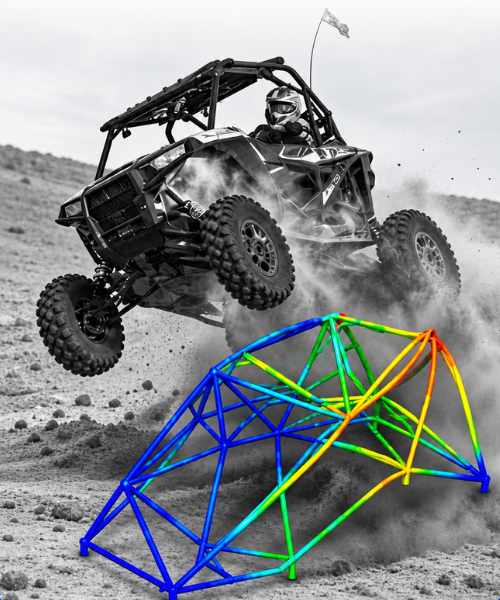
- BUGGY CHASSIS: Project Presentation
- BUGGY CHASSIS: Geometry Preparation
- BUGGY CHASSIS: Beam Elements Definition & Materials
- BUGGY CHASSIS: Joints Validation
- BUGGY CHASSIS: Constraints and Loads for Max Bump Event
- BUGGY CHASSIS: Beam Elements Meshing
- BUGGY CHASSIS: Max Bump Results Review (Post-Process)
- BUGGY CHASSIS: RollOver Event Simulation
CONCLUSIONS Conclusions & Your Roadmap
- CONCLUSIONS
- YOUR ROADMAP DETAILS
- YOUR TITLE
2,300+ ENGINEERS.
ONE CONSISTENT RESULT.
From avoiding FEA tasks at work to submitting simulation results in real client deliverables.
This is what happens when methodology replaces button-clicking.
"I used to avoid FEA tasks at work because I wasn't confident. This training made it click for me. I even used the truck chassis project as part of a real project I was working on. Highly recommended."
"Your teachings and experience have really had an impact on me. I would like to specialize my career in FEA right now and CFD in the future. Thank you once again."
"Loved it. The representation of the real-world scenarios as external load was easy to understand. After a thorough search, I found this was the best course on the market to understand FEA properly."
"I started my Post Graduate in FEA 3 months ago and this course has complemented the theoretical classes I've taken. The best way to take decisions in the software that represents the physical problem itself."
"I've taken FEA courses at SAE, read several books, and watched numerous YouTube videos. There are no alternatives that come close to the content and quality of instruction. This is not a paid endorsement."
"Being guided by this course instead of trying to wing it on my own was well worth it. Practical, structured, and immediately applicable."
"Unlike theory-heavy courses, it focuses on real-world applications, teaching us how to use FEA in real engineering projects. Immediately applicable in our jobs."

Learn From 14+ Years of Real Industrial FEA Experience.
I'm Carlos Aragonés, founder of areaFEA. I've spent the last 14+ years running finite element simulations on real industrial projects across automotive, energy, and manufacturing, using the full stack of professional FEA platforms.
The methodology I teach isn't something I learned in a classroom. It's the workflow I built on live engineering projects, refined across thousands of simulations, and now teach to over 2,300 engineers worldwide. The software changes. The underlying decisions never do.
This program is everything I wish I'd had when I started. Structured the way industrial work actually happens. Built around projects you can defend in a design review. Built around a focused learning path that you can follow at your own pace and return to whenever you need it.
EVERYTHING INSIDE
THE FEA FOUNDATIONS
Training 1: The FEA Validation Workflow. The complete methodology from geometry setup to validated results. Delivered in SolidWorks Simulation, transferable to every major platform.
Training 2: Solid Elements with Real Projects. 3D volumetric meshing on a complete motorbike chassis. Stress concentration handling, realistic load application, full von Mises validation.
Training 3: Shell Elements for Structural FEA. Mid-surface extraction, thin-walled mesh efficiency, multi-load-case chassis validation. Reinforced with a full truck chassis project.
Training 4: Beam Elements for Structural FEA. 1D frame idealization, cross-section assignment, joint connections, rollover and max bump event simulations on a full buggy chassis.
The Complete FEA Methodology. Geometry → Materials → Boundary Conditions → Meshing → Analysis → Validation. Transferable to Ansys, Abaqus, NASTRAN, and any major platform.
IncludedAll 3D CAD Files. Run every chassis project yourself in your preferred FEA software.
IncludedCertificate of Completion. Evidence you executed professional-grade simulations, not just attended a course.
Included24/7 Academy Forum. Ask questions inside the Academy, which Carlos checks daily.
IncludedLifetime Access. No expiry. Return to any module at any point in your career.
Guarantee14-Day Money-Back. No questions asked. Explore the training and decide whether it is right for you.
UNLOCK THE FULL PROGRAM